
1. Okwu mmalite
This manual provides essential information for the proper setup, operation, and maintenance of your X Rocker Extreme III 2.0 Gaming Rocker Chair. This chair features a 2.0 stereo audio system, an ergonomic design with full back support, and side-facing speakers integrated into the headrest. It is designed for use with video games, music, movies, and general relaxation.
Biko gụọ akwụkwọ ntuziaka a nke ọma tupu i jiri ngwaahịa a iji hụ na ọ dị mma ma dịkwa mma.

Image 1.1: The X Rocker Extreme III 2.0 Gaming Rocker Chair in a gaming environment.
2. Ozi nchekwa
WARNING: To reduce the risk of electric shock, fire, or injury, please observe the following safety precautions:
- Ikike ịdị arọ kacha elu: This chair has a maximum weight recommendation of 300 pounds (136 kg). Exceeding this limit may cause damage to the chair or personal injury.
- Nlekọta ndị okenye: Children should be supervised when using the chair.
- Elu nke kwụsiri ike: Always place the chair on a flat, stable surface to prevent tipping.
- Isi mmalite ike: Use only the power adapter supplied with the chair. Ensure the power outlet matches the voltage chọrọ.
- Zere Mmiri mmiri: Keep liquids away from the chair and its electronic components to prevent damage or electric shock.
- Igwe ikuku: Akwụsịla oghere ikuku ikuku ọ bụla.
- Mbupu: Do not attempt to disassemble or modify the chair's electronic components. Refer all servicing to qualified personnel.
- Gịnị: Hụ na e tinyere waya niile n'ebe dị nchebe iji gbochie ihe egwu ma ọ bụ mmebi ịda ada.
3. Ihe ngwugwu
Biko lelee ihe dị n'ime ngwugwu ahụ ka hụ na ihe niile dị na emebighị emebi:
- X Rocker Extreme III 2.0 Gaming Rocker Chair
- Accessory Box (containing power adapter and audio cables)
Ọ bụrụ na ihe ọ bụla na-efu ma ọ bụ mebie, biko kpọtụrụ nkwado ndị ahịa ozugbo.
4. Nhazi
The X Rocker Extreme III 2.0 Gaming Rocker Chair requires no assembly. Simply unfold the chair and place it in your desired location.
4.1 Ikpughe oche
- Jiri nlezianya wepụ oche ahụ na nkwakọ ngwaahịa ya.
- Tinye oche ahụ n'elu ala dị larịị ma kwụsie ike.
- Unfold the chair until it is in the upright, rocking position. Ensure it is fully extended and stable before use.
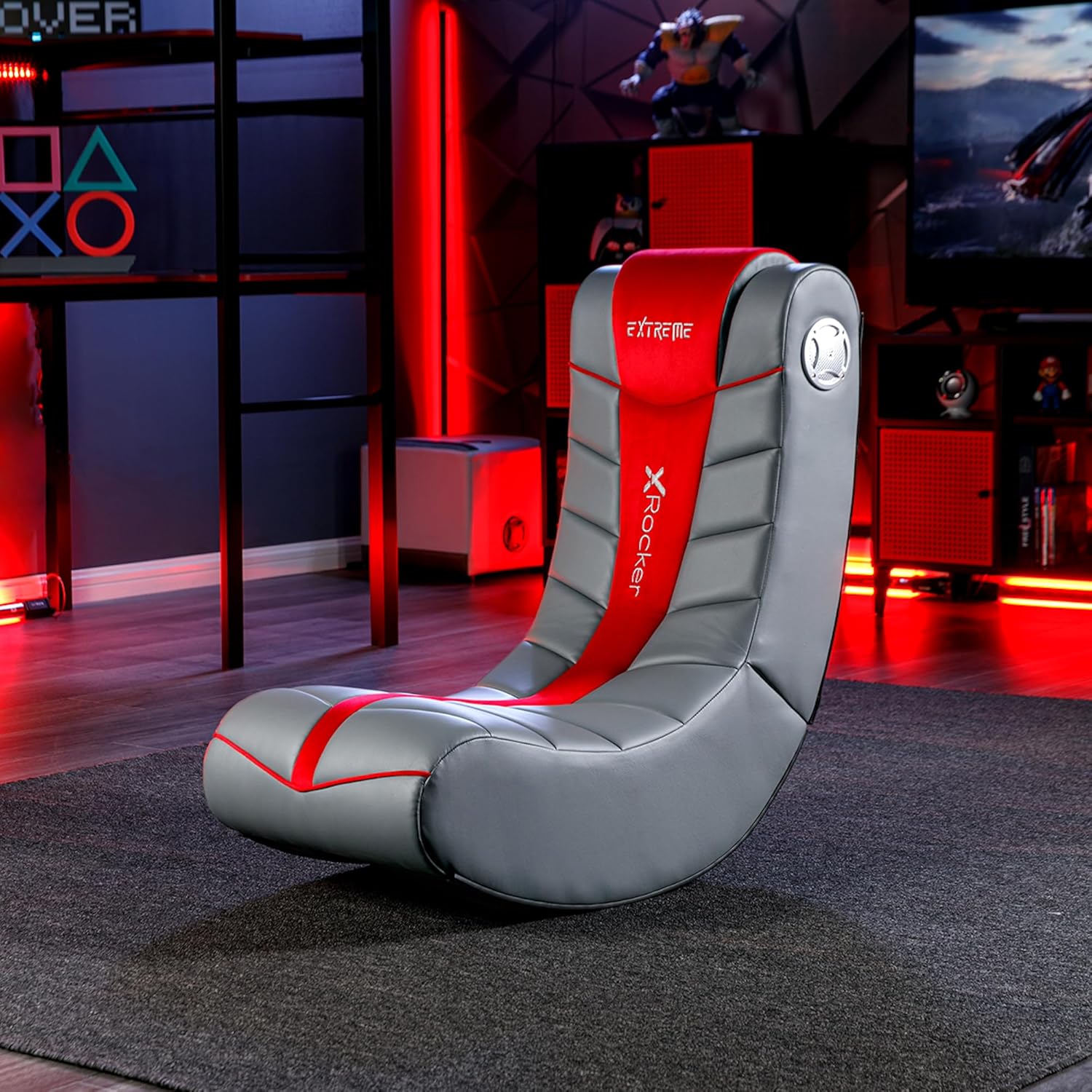
Image 4.1: Chair dimensions and features, including the audio control panel.
4.2 Njikọ ike
- Locate the power input jack on the side control panel of the chair.
- Connect the supplied power adapter to the power input jack.
- Tinye nkwụnye ọkụ n'ime oghere mgbidi dabara adaba.
5. Ntuziaka ọrụ
The X Rocker Extreme III 2.0 Gaming Rocker Chair features an integrated audio system for an immersive experience.
5.1 Audio Control Panel Overview
The audio control panel is located on the side of the chair and includes:
- Ike/Mpịakọta olu: Turns the chair's audio system on/off and adjusts the volume.
- Audio Input (Green Jack): Connects to your audio source (e.g., gaming console, TV, smartphone).
- Audio Output (Red Jack): Allows connection to another X Rocker chair for multi-player audio.
- Headset Output (Black Jack): Maka ijikọ ekweisi.
- Ntinye ike: Maka ijikọ nkwụnye ọkụ.

Foto 5.1: Zuru ezu view of the audio control panel.
5.2 Ijikọ na Isi Iyi Ọdịyo
The chair can connect to various audio sources using the provided cables. Ensure the chair is powered on before connecting.
- For devices with RCA outputs (e.g., most TVs, older consoles):
- Connect one end of the RCA audio cable (red/white) to the audio output jacks of your device.
- Connect the other end of the RCA cable to the corresponding audio input jacks on the chair's control panel.
- For devices with a 3.5mm headset output (e.g., smartphones, some controllers):
- Use a 3.5mm audio cable (not always included, may need to be purchased separately).
- Connect one end to your device's headset output.
- Connect the other end to the green Audio Input jack on the chair's control panel.
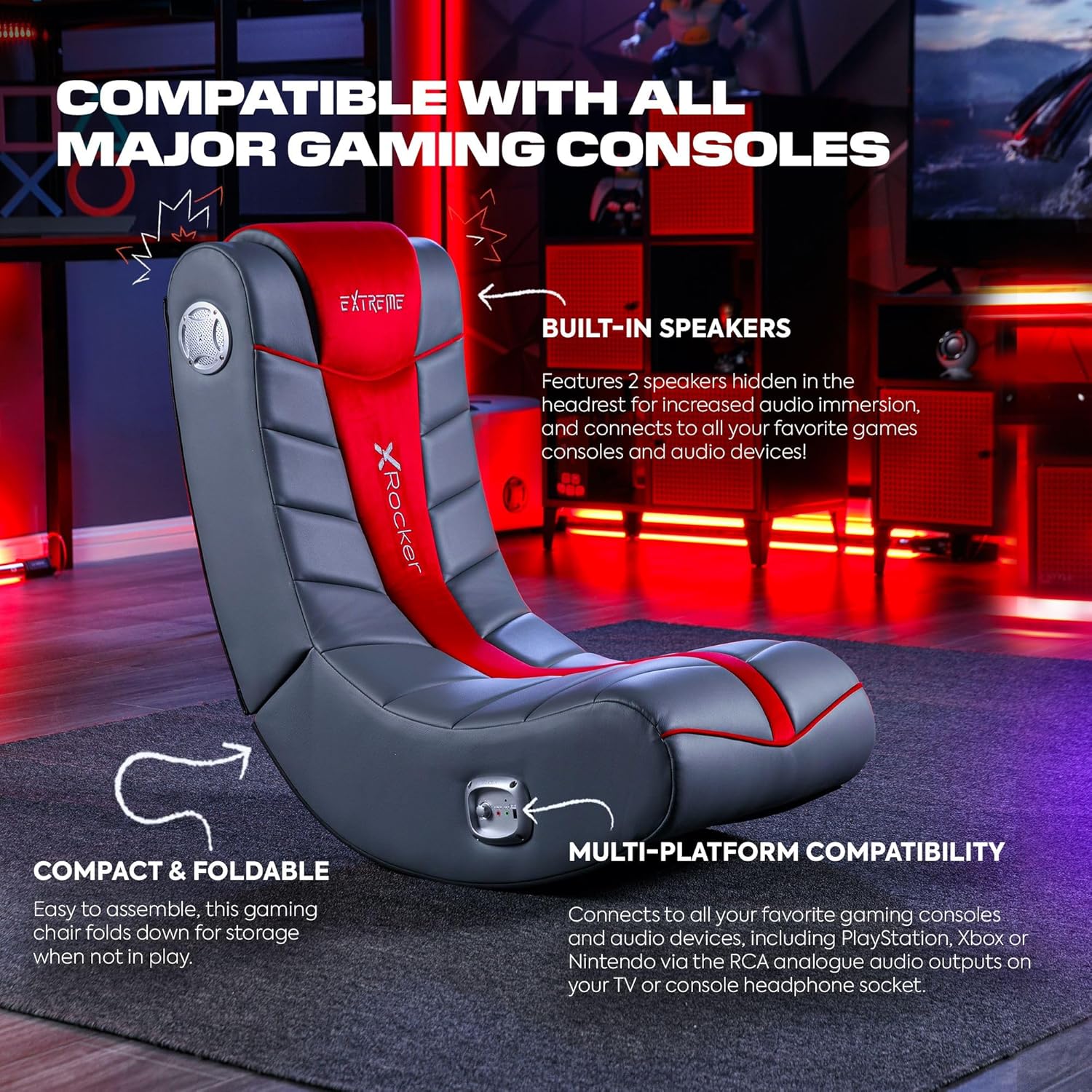
Image 5.2: The X Rocker chair highlighting its compatibility with various gaming consoles and audio devices.
5.3 na-agbanwe olu
Once connected, turn the Power/Volume knob clockwise to power on the audio system and increase the volume. Turn counter-clockwise to decrease volume and power off.
5.4 Multi-Player Connectivity
To connect multiple X Rocker chairs for a shared audio experience:
- Connect the first chair to your audio source as described in Section 5.2.
- Using an audio cable, connect the Audio Output (red jack) of the first chair to the Audio Input (green jack) of the second X Rocker chair.
- Repeat for additional chairs as needed.
6. Nlekọta
6.1 Ntuziaka nhicha
To clean your X Rocker Extreme III 2.0 Gaming Rocker Chair:
- Naanị ntụpọ dị ọcha: Jiri nwayọọ, damp cloth with mild soap and water to spot clean any soiled areas.
- Do not use harsh chemicals, abrasive cleaners, or solvents, as these may damage the faux leather material.
- Ensure the chair is completely dry before use.
6.2 Nchekwa
The chair is foldable for convenient storage when not in use.
- Ensure the chair is powered off and disconnected from all audio and power sources.
- Gently fold the chair inward until it is compact.
- Chekwaa n'ebe dị jụụ, kpọrọ nkụ na-adịghị na ìhè anyanwụ kpọmkwem na oke okpomọkụ.

Image 6.1: The X Rocker chair in its compact, folded state for easy storage.
7. Nchọpụta nsogbu
If you encounter issues with your X Rocker Extreme III 2.0 Gaming Rocker Chair, please refer to the following common problems and solutions:
| Nsogbu | Ihe nwere ike ime | Ngwọta |
|---|---|---|
| No power to the chair. | Power adapter not connected or faulty; outlet not working. | Ensure the power adapter is securely connected to the chair and a working wall outlet. Test the outlet with another device. |
| Enweghị ụda sitere na ndị ọkà okwu. | Volume too low; audio cables not connected correctly; incorrect audio source selected on device. | Increase the volume using the Power/Volume knob. Check all audio cable connections. Ensure your audio source (TV, console) is outputting audio correctly. |
| Sound is distorted or crackling. | Volume too high; loose audio connection; interference. | Lower the volume. Check all audio cable connections for looseness. Move the chair or audio source away from other electronic devices that may cause interference. |
| Chair is unstable or tips easily. | Not placed on a flat surface; exceeding weight limit. | Ensure the chair is on a completely flat and stable surface. Verify that the user's weight does not exceed the maximum capacity of 300 lbs. |
8. Nkọwapụta
- Aha nlereanya: Floor Rocker
- Nọmba nlereanya: 5149101
- Akụkụ ngwaahịa (D x W x H): 81.3 x 41.9 x 74.9 sentimita (32 x 16.5 x 29.5 sentimita)
- Ibu ihe: 9.92 n'arọ (21.87 lbs)
- Nkwanye ịdị arọ kachasị: Pound 300 (136 n'arọ)
- Ihe: Akpụkpọ anụ adịgboroja, ihe e ji ụfụfụ jupụta
- Ihe Frame: Alloy Steel
- Sistemu ọdịyo: 2.0 Ndị na-ekwu okwu stereo
- Njikọta: RCA Audio Input/Output, 3.5mm Headset Output
- Atụmatụ: Ergonomic, Foldable, Head Support, Side-facing speakers with headrest
- Mgbakọ achọrọ: Mba
- Nlekọta ngwaahịa: Abù Dị ọcha
9. Akwụkwọ ikike na nkwado
For warranty information, please refer to the documentation included with your purchase or visit the official X Rocker websaịtị. Usoro na ọnọdụ akwụkwọ ikike nwere ike ịdị iche site na mpaghara na onye na-ere ahịa.
If you require technical assistance, replacement parts, or have questions not covered in this manual, please contact X Rocker customer support. Contact details can typically be found on the manufacturer's websaịtị ma ọ bụ na nkwakọ ngwaahịa gị.