
Okwu mmalite
This manual provides detailed instructions for the setup, operation, maintenance, and troubleshooting of your Coby CRA54 Digital AM/FM Alarm Clock Radio. Please read this manual thoroughly before using the device to ensure proper function and longevity.
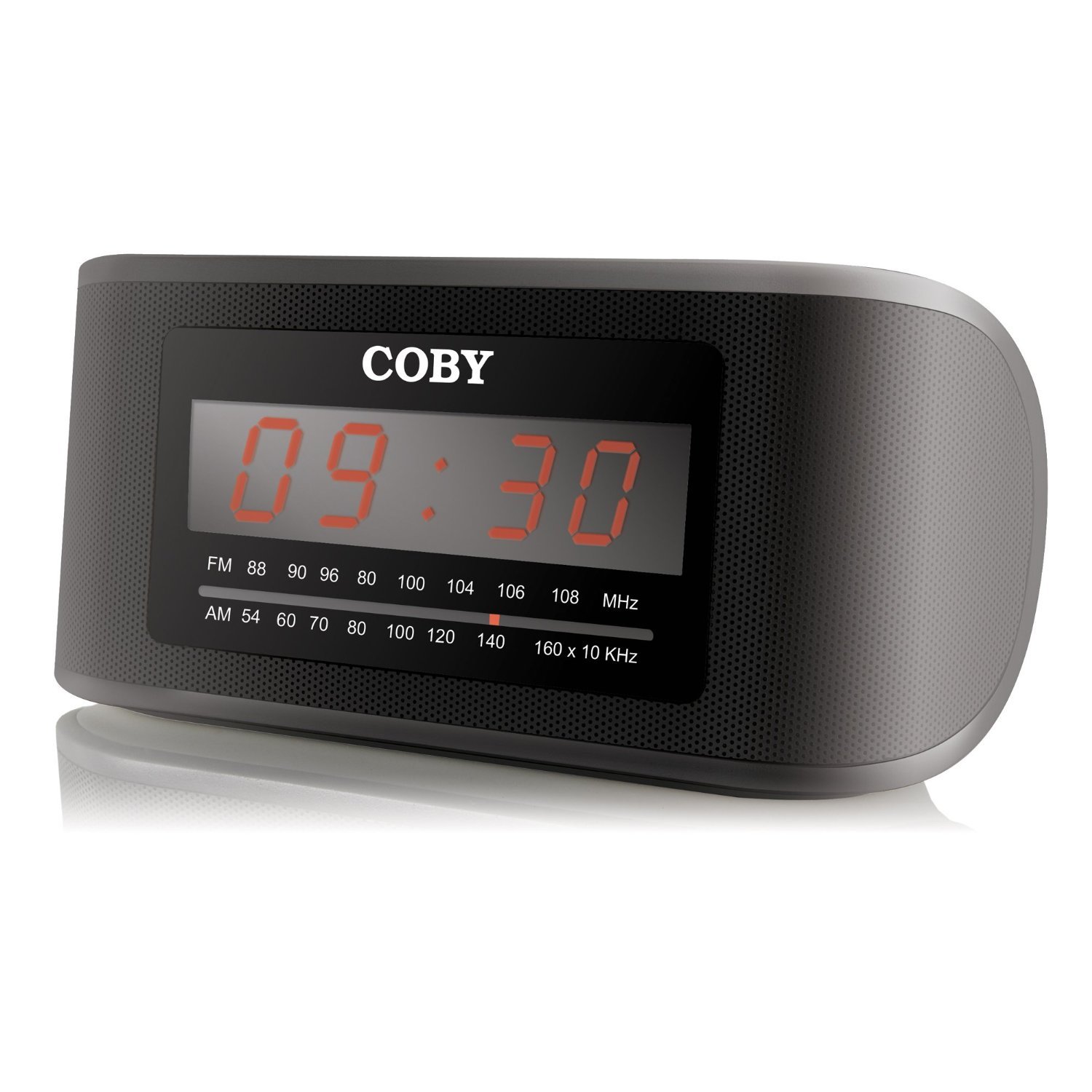
Foto 1: N'ihu view of the Coby CRA54 Digital AM/FM Alarm Clock Radio, showing the digital display and control buttons.
Melite
- Iwepu: Carefully remove the alarm clock radio from its packaging. Retain the packaging materials for future transport or storage.
- Njikọ ike: Connect the AC power cord to the 110V power outlet. The unit is designed for wired operation.
- Ndabere Batrị (Nhọrọ): While the unit operates on AC power, it may have a compartment for backup batteries (not included) to maintain time settings during power outages. Refer to the battery compartment cover for the correct battery type and polarity. Note: Batteries are not included with this product.
- Ndozi antenna: Extend the FM wire antenna fully for optimal FM reception. For AM reception, rotate the unit for the best signal.
Ntuziaka ọrụ
Ịtọ oge
- Pịa ma jide Oge setịpụrụ button (location may vary, typically on the front or top panel) until the display flashes.
- Jiri ihe Awa na nkeji buttons to adjust the time. Observe the AM/PM indicator if present.
- Pịa Oge setịpụrụ ọzọ iji kwado wee pụọ na ọnọdụ nhazi oge.
Ịtọ ntọala mkpu
- Pịa ma jide AKWARKWỌ NDAR ỌRAR bọtịnụ ruo mgbe ngosi oge oti mkpu na-enwu.
- Jiri ihe Awa na nkeji buttons to set your desired alarm time.
- Pịa AKWARKWỌ NDAR ỌRAR again to confirm. You may then be prompted to select the alarm source (radio or buzzer) using the AKWKWỌ ALARM bọtịnụ.
- Ensure the alarm is activated by checking for an alarm indicator icon on the display.
Ọrụ redio
- Gbanyụọ/ Gbanyụọ: Pịa IKE bọtịnụ ka ịgbanwuo ma ọ bụ gbanyụọ redio.
- Nhọrọ band: Pịa AM/FM bọtịnụ ka ịgbanwee n'etiti band AM na FM.
- Na-atụgharị: Jiri ihe NKWUKWU dial or TUNE +/- buttons to find your desired station. Some models may feature auto-scan functionality.
- Njikwa olu: Gbanwee olu site na iji Mpịakọta dial or Vol +/- bọtịnụ.
Ọrụ snooze
Mgbe oti mkpu na-ada, pịa nnukwu URUA button (usually located on the top of the unit) to temporarily silence the alarm. The alarm will sound again after a few minutes (typically 9 minutes).
Nlekọta
- Nhicha: Disconnect the power before cleaning. Use a soft, dry cloth to wipe the exterior of the unit. Do not use abrasive cleaners or solvents.
- Nkwanye: Place the unit on a stable, flat surface. Avoid placing it in direct sunlight, near heat sources, or in areas with high humidity.
- Igwe ikuku: Hụ na ikuku na-ekupụ ikuku nke ọma gburugburu ngwaọrụ ahụ iji gbochie oke okpomọkụ. Ekpuchila oghere ikuku.
Nchọpụta nsogbu
| Nsogbu | Ihe nwere ike ime | Ngwọta |
|---|---|---|
| Unit anaghị agbanye ọkụ. | Ejikọghị eriri ọkụ nke ọma. | Ensure the power cord is securely plugged into both the unit and a working 110V outlet. |
| Nnabata redio adịghị mma. | Antenna not extended or unit position. | Extend the FM wire antenna fully. For AM, rotate the unit to improve signal. Avoid interference from other electronic devices. |
| Oti mkpu anaghị ada ụda. | Alarm not set or activated. | Verify that the alarm time is correctly set and the alarm function is activated (check for alarm icon on display). Ensure volume is not at minimum. |
| Time display is incorrect or runs fast/slow. | Internal clock deviation or power interruption. | Reset the time. If the issue persists, ensure stable power supply and consider using fresh backup batteries if applicable. |
Nkọwapụta
- Akara: Coby
- Nọmba nlereanya: CRA54
- Akụkụ ngwaahịa: 17.78 x 10.16 x 8.89 cm
- Arọ ngwaahịa: 522 g
- Voltage: 110 volts
- Ụdị ngosi: Dijitalụ
- Ụdị nkwụnye: N'elu tebụl
- Elekere mkpu: Ee
- Ụdị ọrụ: Eletriki
- Ọkà okwu arụnyere n'ime ya: Ee
- Teknụzụ Njikọta: Ekwenyere
Akwụkwọ ikike na nkwado
For information regarding warranty coverage and customer support, please refer to the warranty card included with your product or contact Coby customer service directly. Keep your purchase receipt as proof of purchase.