
1. Okwu mmalite
Thank you for choosing the Takstar E 340 Karaoke Microphone. This manual provides essential information for the proper setup, operation, and maintenance of your microphone. Please read this manual thoroughly before using the product to ensure optimal performance and longevity.
2. Ngwaahịa gafereview
The Takstar E 340 is a high-quality unidirectional handheld dynamic microphone designed for clear vocal reproduction, ideal for karaoke and general speech applications. It features a robust construction and a design focused on user comfort and sound clarity.
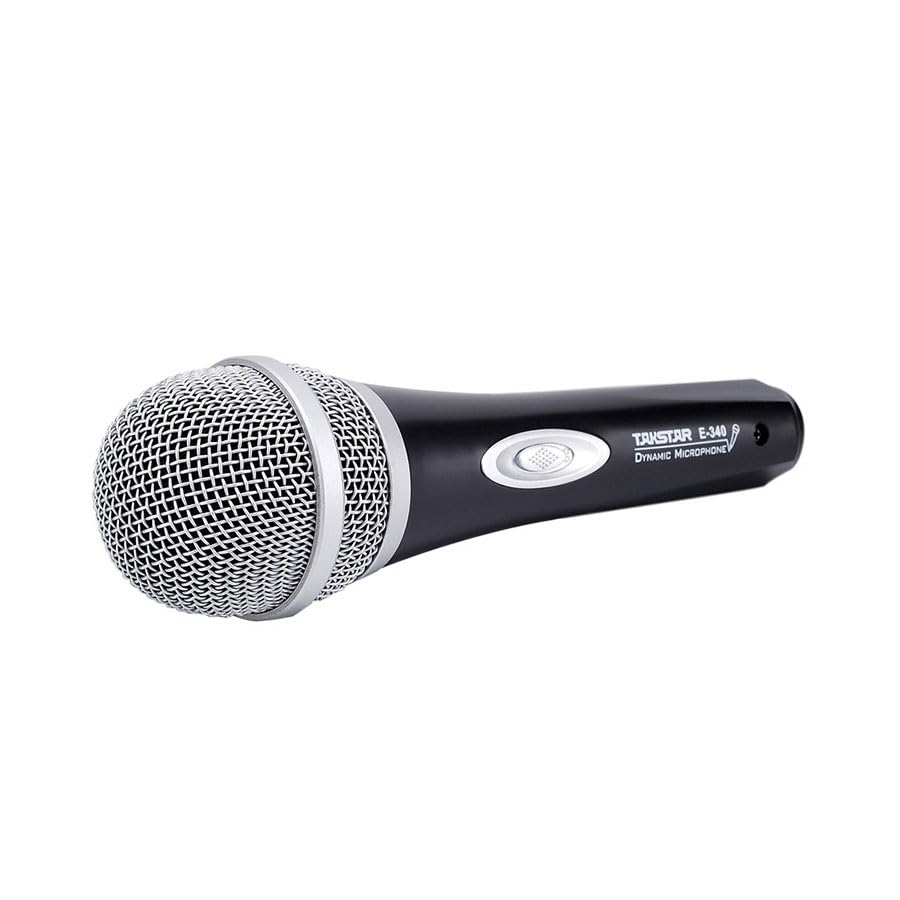
Figure 2.1: Takstar E 340 Handheld Dynamic Microphone. This image shows the full view of the microphone, highlighting its black body and silver grille.
Akụkụ ndị bụ isi:
- Ụkpụrụ Polar Unidirectional: Na-elekwasị anya na ụda si n'ihu, na-ebelata mkpọtụ ndabere.
- Capsule dị ike: Provides clear and powerful sound reproduction.
- Ihe owuwu na-adịgide adịgide: Plastic housing with a paint finish for comfortable handling and durability.
- Njikọ XLR: Utilizes a dual-core XLR cable for clear signal transmission and noise interference shielding.
- Nhazi dị arọ: Ensures ease of use and portability.

Ọgụgụ 2.2: Zuru ezu view of the Takstar E 340 microphone highlighting its internal dynamic capsule and the robust construction. This image illustrates the quality components and design features.
njirimara akụrụngwa:
- Grille igwe okwu: Protects the microphone capsule and helps shape the sound.
- Igwe igwe okwu: Houses the internal components and provides a comfortable grip.
- Mgbanwu ma ọ bụ gbanyụọ: Controls the microphone's power.
- XLR Output Connector: For connecting the microphone to an audio interface or karaoke machine.
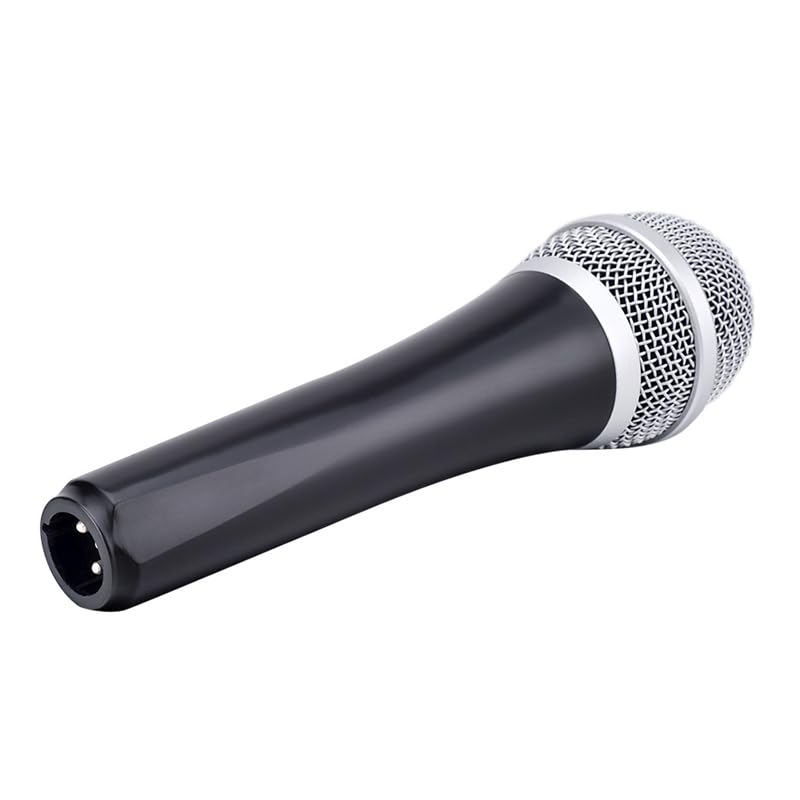
Figure 2.3: The XLR output connector located at the base of the Takstar E 340 microphone. This is where the microphone cable connects.
3. Nhazi ntuziaka
- Mepee igwe okwu: Carefully remove the Takstar E 340 microphone and any included accessories from its packaging.
- Jikọọ eriri: Insert the XLR end of your microphone cable into the XLR output connector at the base of the microphone. Ensure it clicks securely into place.
- Jikọọ na ngwaọrụ ọdịyo: Connect the other end of the microphone cable (e.g., 1/4-inch jack or USB Type-C, depending on your cable) to the microphone input of your karaoke machine, mixer, or audio interface.
- Ike Na: Ensure your audio device is powered on and its volume is set to a low level before activating the microphone.
4. Ntuziaka ọrụ
- Turn On the Microphone: Locate the On/Off switch on the microphone body and slide it to the 'ON' position.
- Ndokwa: Hold the microphone approximately 2-6 inches (5-15 cm) from your mouth for optimal sound pickup. Experiment with distance to find the best sound for your voice and environment.
- Ndozi olu: Gradually increase the volume on your connected audio device until the desired sound level is achieved. Avoid setting the volume too high to prevent feedback or distortion.
- Nbulite otu ụzọ: The E 340 is a unidirectional microphone, meaning it primarily picks up sound from the front. Point the top of the microphone directly towards the sound source (your mouth) for the clearest audio.
- Na-agbanyụ: When finished, slide the On/Off switch to the 'OFF' position and then turn off your audio device.
5. Nlekọta na nlekọta
- Nhicha: Use a soft, dry cloth to clean the microphone body. For the grille, a soft brush can be used to gently remove dust or debris. Do not use liquid cleaners or solvents.
- Nchekwa: Store the microphone in a dry, cool place away from direct sunlight and extreme temperatures. If possible, use a protective case to prevent physical damage.
- Ijikwa: Zere ịtụfu igwe okwu ma ọ bụ mee ka ọ nwee mmetụta siri ike, n'ihi na nke a nwere ike imebi ihe dị n'ime.
- Nlekọta USB: Always grasp the connector, not the cable, when plugging or unplugging. Avoid bending or kinking the cable excessively.
6. Nchọpụta nsogbu
| Nsogbu | Ihe nwere ike ime | Ngwọta |
|---|---|---|
| Enweghị mmepụta ụda | Microphone switch is OFF Ejikọghị eriri USB nke ọma Audio device input volume too low Faulty cable or audio device input | Slide switch to 'ON' Ensure cable is securely connected at both ends Increase input volume on audio device Test with a different cable or audio input |
| Ụda dị ala ma ọ bụ gbagọrọ agbagọ | Microphone too far from sound source Input volume too high (distortion) Damaged microphone capsule | Hold microphone closer to mouth Reduce input volume on audio device Contact customer support if damage is suspected |
| Feedback (howling sound) | Microphone too close to speakers Esi elu Microphone pointed at speakers | Increase distance between microphone and speakers Reduce overall volume Ensure microphone is not pointed directly at speakers |
7. Nka na ụzụ nkọwa
| Njirimara | Nkọwapụta |
|---|---|
| Nlereanya | E340 |
| Ụkpụrụ Polar | Unidirectional |
| Ihe kpatara ụdị igwe okwu | Ejidere |
| Mgbochi | 600 ohms |
| Ratio Signal-to-Noise (SNR) | 72 dB |
| Nzaghachi ugboro ugboro | 16 kHz |
| Mmetụta ọdịyo | 54 decibel |
| Teknụzụ Njikọta | UHF (via cable) |
| Ụdị njikọ | USB Type-C (implied for cable connection, typically XLR on mic) |
| Ngwa dakọtara | Igwe karaoke |
| Isi Iyi Ike | Igwe ọkụ eletrik |
| Ibu Ibu | 580 g |
| Akụkụ ngwugwu | 24.8 x 12.6 x 8 cm |
| Njirimara Pụrụ Iche | Adjustable Headband (Note: This feature is typically associated with headsets, but listed in product specifications.) |
8. Akwụkwọ ikike na nkwado
For warranty information and customer support, please refer to the documentation provided at the time of purchase or visit the official Takstar websaịtị. Debe ihe akaebe nke ịzụrụ ihe maka akwụkwọ ikike ọ bụla.