
1. Okwu mmalite
This manual provides essential information for the safe and efficient operation of your Sharp AQUOS LC-52E77U LCD HDTV. Please read these instructions thoroughly before using the television and retain them for future reference.
The Sharp AQUOS LC-52E77U features a 52-inch Full HD 1080p display with 120Hz Fine Motion Enhanced technology for smooth motion. It incorporates a 10-Bit AVS Superlucent LCD Panel and Spectral Contrast Engine XD to deliver deep black levels and vibrant, accurate colors. This model includes built-in ATSC/QAM/NTSC tuners and a variety of connectivity options to integrate with your home entertainment system.
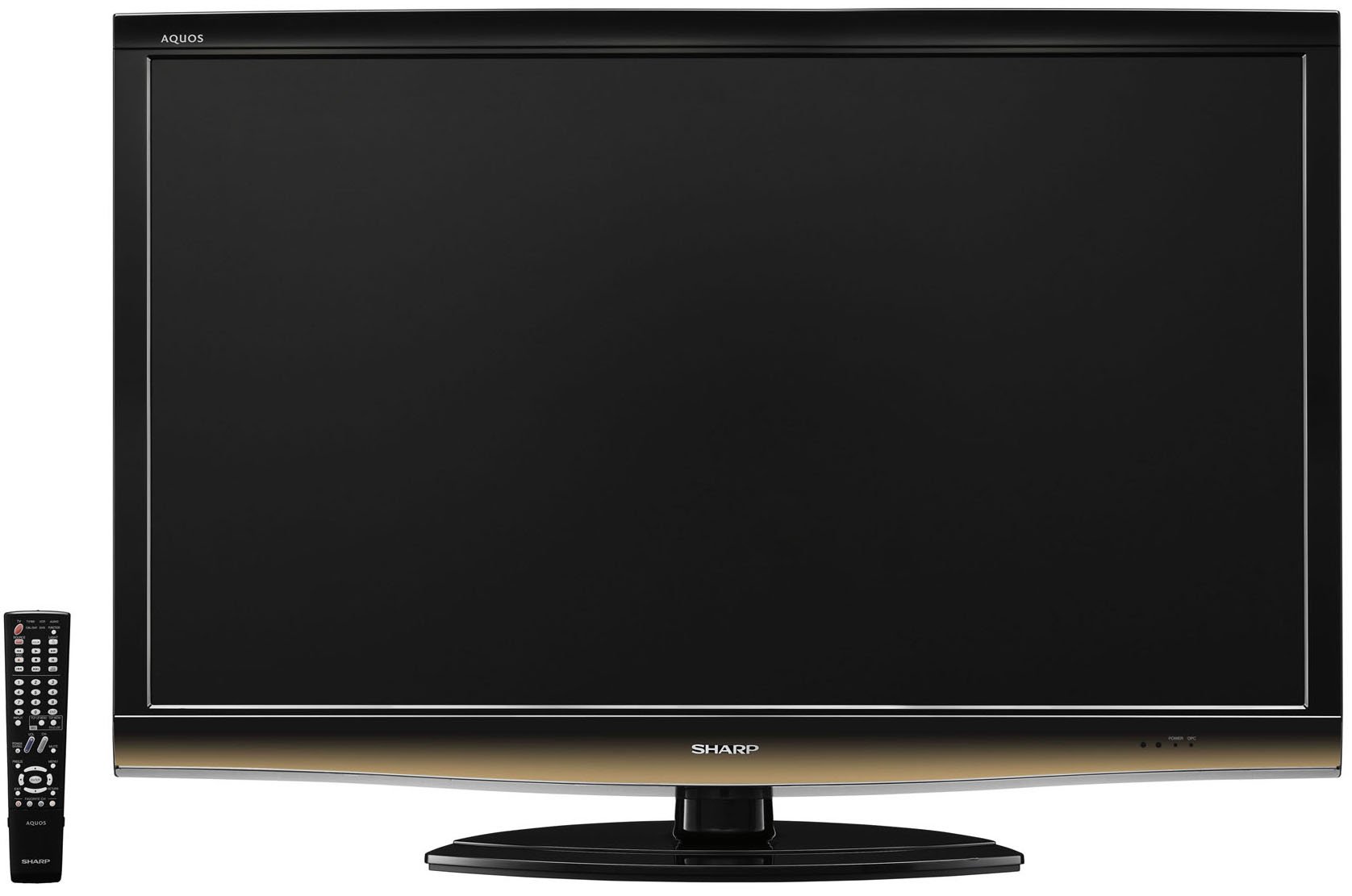
N'ihu view of the Sharp LC-52E77U AQUOS LCD HDTV, showcasing its slim bezel and screen.
2. Ozi nchekwa
Always follow basic safety precautions when using this television to reduce the risk of fire, electric shock, and injury to persons.
- Do not block ventilation openings. Ensure adequate space around the television for proper airflow.
- Do not place the television on an unstable cart, stand, tripod, bracket, or table.
- Chebe eriri ọkụ ka ị ghara ịgagharị ma ọ bụ tuo ya, ọkachasị na plọg, ebe nchekwa dị mma, na ebe ha si na ngwa ahụ pụta.
- Kwupu ngwa a n'oge oke mmiri ozuzo ma ọ bụ mgbe ejighi ya ogologo oge.
- Tụtụ aka n'aka ndị ọrụ ruru eru. A na-achọ ọrụ mgbe ngwa ahụ mebiri emebi n'ụzọ ọ bụla, dị ka eriri ọkụ ma ọ bụ plọg mebiri emebi, mmiri mmiri wụfuru ma ọ bụ ihe dabara n'ime ngwa ahụ, ekpughere ngwa ahụ na mmiri ozuzo ma ọ bụ mmiri, anaghị arụ ọrụ nke ọma. , ma ọ bụ ahapụla ya.
3. Ihe ngwugwu
Chọpụta na ihe niile dị na ngwugwu:
- Sharp AQUOS LC-52E77U LCD HDTV
- Eji batrị dị anya njikwa
- Detachable Table Stand
- Ụdọ ọkụ
- Akwụkwọ ntuziaka (akwụkwọ a)
- Kaadị akwụkwọ ikike (ọ bụrụ na ọdabara)
4. Nhazi
4.1 Nwụnye anụ ahụ
Your television can be installed on its included table stand or mounted on a wall using a compatible VESA wall mount (sold separately).
Table Stand Installation:
- Carefully place the television screen-down on a soft, flat surface to prevent damage.
- Attach the stand base to the television using the provided screws. Ensure all screws are tightened securely.
- The table stand features swivel capability for adjusting the viewakụkụ n'akuku.
Ịkwanye mgbidi:
If wall-mounting, remove the table stand. Consult the instructions provided with your wall mount bracket for proper installation. Ensure the wall mount is rated for the weight and size of this television (approximately 59.5 pounds).
4.2 Ngwa jikọọ
The LC-52E77U offers various input terminals for connecting external devices.
- Ntinye HDMI (x5): Connect Blu-ray players, game consoles, cable/satellite boxes, and other HDMI-compatible devices. These inputs are compatible with 1080p signals.
- Component Video Inputs (x2): Connect devices using component video cables (YPbPr) for high-definition signals up to 1080p.
- Ntinye PC: Connect a computer to use the television as a monitor.
- Ntinye RS-232C: For advanced control systems.
- Ntinye Antenna/Cable: Connect an antenna or cable TV feed for accessing built-in tuners.
Ensure all cables are securely connected to the correct ports on both the television and your external devices.
4.3 Ike mbido
- Plug the power cord into the television and then into a wall outlet.
- Press the Power button on the television or the remote control.
- Follow the on-screen prompts for initial setup, including language selection, channel scanning (for antenna/cable), and time zone settings.
5. Ntuziaka ọrụ
5.1 Njikwa ntọala
- Ike: Gbanyụọ ma ọ bụ gbanyụọ igwe onyonyo.
- Olu (+/-): Na-edozi ọkwa ụda.
- Channel (Up/Down): Changes the television channel when using the built-in tuners.
- Ntinye/Isi mmalite: Cycles through available input sources (HDMI 1, Component 1, PC, etc.).
- NchNhr: Accesses the on-screen display (OSD) menu for settings adjustments.
5.2 Ntọala foto
Access the Picture menu to customize your viewAhụmịhe dị mkpa gụnyere:
- Ụdị foto: Select from preset modes (e.g., Standard, Movie, Game) or customize your own.
- Ntughari: Adjusts the difference between light and dark areas of the picture. The Spectral Contrast Engine XD enhances deep black levels.
- Icha ọkụ: Na-achịkwa ìhè n'ozuzu nke ihuenyo ahụ.
- Color/Saturation: Na-agbanwe ike nke agba.
- Agba: Adjusts the green-to-red balance (primarily for NTSC signals).
- Nkọ: Enhances or softens the edges of objects in the picture.
- 120Hz Fine Motion Enhanced: This feature processes fast-moving images to reduce motion blur, providing a smoother viewing experience. It can be adjusted or disabled in the picture settings.
- OPC (Optical Picture Control): This feature senses ambient room light and automatically adjusts the screen brightness. While designed for power saving and backlight longevity, some users may prefer to disable it for consistent brightness.
For optimal picture quality, consider calibrating your television using a calibration disc or professional service.
5.3 Ntọala ụda
The LC-52E77U features built-in speakers. Access the Audio menu to adjust settings such as:
- Ọnọdụ ụda: Select from preset audio modes (e.g., Standard, Music, Movie).
- Bass/Table: Adjust low and high-frequency audio levels.
- Nhazi: Adjust the volume balance between left and right speakers.
- Ụda Gburugburu: Enable or disable virtual surround sound effects.
For enhanced audio, connect the television to an external audio system (e.g., soundbar, AV receiver) via the available audio output ports.
5.4 Nhọrọ ntinye
To switch between connected devices, press the 'Input' or 'Source' button on your remote control. A list of available inputs will appear on the screen. Navigate using the arrow keys and press 'Enter' or 'OK' to select the desired input.
5.5 Ọrụ Tuner
The television includes built-in ATSC (digital terrestrial), QAM (digital cable), and NTSC (analog terrestrial) tuners. After connecting an antenna or cable feed and performing a channel scan during initial setup, you can use the Channel Up/Down buttons to browse available channels.
6. Nlekọta
6.1 Na-ehicha ihuenyo ahụ
Iji hichaa ihuenyo ahụ, jiri nwayọọ hichaa ya na akwa dị nro na-enweghị lint. Maka akara ndị isi ike, dị obere dampen akwa na mmiri ma ọ bụ pụrụ iche ihuenyo Cleaner. Efela ihe nhicha ozugbo na ihuenyo.
6.2 ihicha ụlọ ọrụ
Wipe the television cabinet with a soft, dry cloth. Do not use abrasive cleaners, waxes, or solvents as they may damage the finish.
6.3 Nlekọta n'ozuzu
- Avoid exposing the television to direct sunlight or extreme temperatures.
- Do not place heavy objects on top of the television.
- Keep the television away from sources of strong magnetic fields.
7. Nchọpụta nsogbu
If you experience issues with your television, refer to the following common troubleshooting steps before contacting customer support.
| Nsogbu | Ihe kpatara/ Ngwọta nwere ike ime |
|---|---|
| Enweghị ike | Ensure the power cord is securely plugged into the TV and a working electrical outlet. Check if the outlet has power. |
| Enweghị foto, mana ụda dị | Nyochaa isi mmalite ntinye ziri ezi ahọpụtara. Lelee njikọ eriri na ngwaọrụ mpụga. |
| Enweghị ụda, mana foto dị | Check the volume level and ensure the TV is not muted. If using external speakers, check their connections and power. |
| Njikwa anya anaghị arụ ọrụ | Dochie batrị ndị dị na njikwa anya. Gbaa mbọ hụ na onweghị ihe mgbochi n'etiti ime ime na ihe mmetụta IR nke TV. |
| Picture is distorted or unclear | Check cable connections for looseness or damage. Adjust picture settings (e.g., sharpness, picture mode). If using an antenna, check its position and signal strength. |
8. Nkọwapụta
- Ụdị: LC-52E77U
- Nha ihuenyo: 52 sentimita asatọ (diagonal)
- Ngosipụta teknụzụ: LCD (10-Bit AVS Superlucent LCD Panel)
- Mkpebi: 1920 x 1080 (HD zuru ezu 1080p)
- Ọnụego ume ọhụrụ: 120 Hz (with Fine Motion Enhanced)
- Oge nzaghachi: 4ms
- Viewakụkụ: 176°H x 176°V
- Ntughari: Spectral Contrast Engine XD
- Ntụgharị: Built-in ATSC / QAM / NTSC
- Njikọta:
- HDMI Inputs: 5 (compatible with 1080p signals)
- Component Video Inputs: 2 (HD 1080p compatible)
- PC Input: 1
- Ntinye RS-232C: 1
- Ụdị ọkà okwu: Built-In, bottom-mounted
- Ibu ihe: Approximately 59.5 Pounds (without stand)
- Akụkụ ngwaahịa (W x H x D): Approximately 49.38 x 33.94 x 12.78 inches (with stand)
- Ike ike: Energy Star kwadoro
9. Akwụkwọ ikike na nkwado
This product typically comes with a 15-month warranty from the date of purchase. For specific warranty terms and conditions, please refer to the warranty card included with your product or visit the official Sharp websaịtị.
As part of the AQUOS Advantage Program, Sharp provides customer support for its AQUOS televisions. If you require technical assistance, service, or have questions regarding your LC-52E77U, please contact Sharp customer support through their official channels.
For more information and support, you may visit the Sharp Store on Amazon or the official Sharp websaịtị.