
1. Okwu mmalite
This manual provides detailed instructions for the installation, operation, and maintenance of the Lutron MA-ALFQ35 Maestro Companion Fan and Light Control. This device is designed to work in conjunction with a compatible Lutron Maestro Multi-Location Fan and Light Control (MA-LFQ3 or MA-LFQM) to provide multi-location control of your ceiling fan speed and light levels.
2. Ozi nchekwa dị mkpa
ỊDỌ AKA NA NTỊ: Ihe ize ndụ nke mkpọ ọkụ eletrik.
- Always turn off power at the circuit breaker or fuse box before installing or servicing this device.
- Do not use this device with any fan or light control other than specified Lutron Maestro models.
- Installation must be performed by a qualified electrician or in accordance with all local and national electrical codes.
- Agafela oke wattage ratings for connected loads.
- Ngwaahịa a bụ naanị maka ime ụlọ.
3. Ngwaahịa gafereview
The Lutron MA-ALFQ35 is a companion control unit that extends the functionality of a primary Maestro Multi-Location Fan and Light Control. It allows you to adjust both the fan speed and light intensity from additional locations within a room or area. This unit does not function independently and must be paired with a compatible Maestro master control.
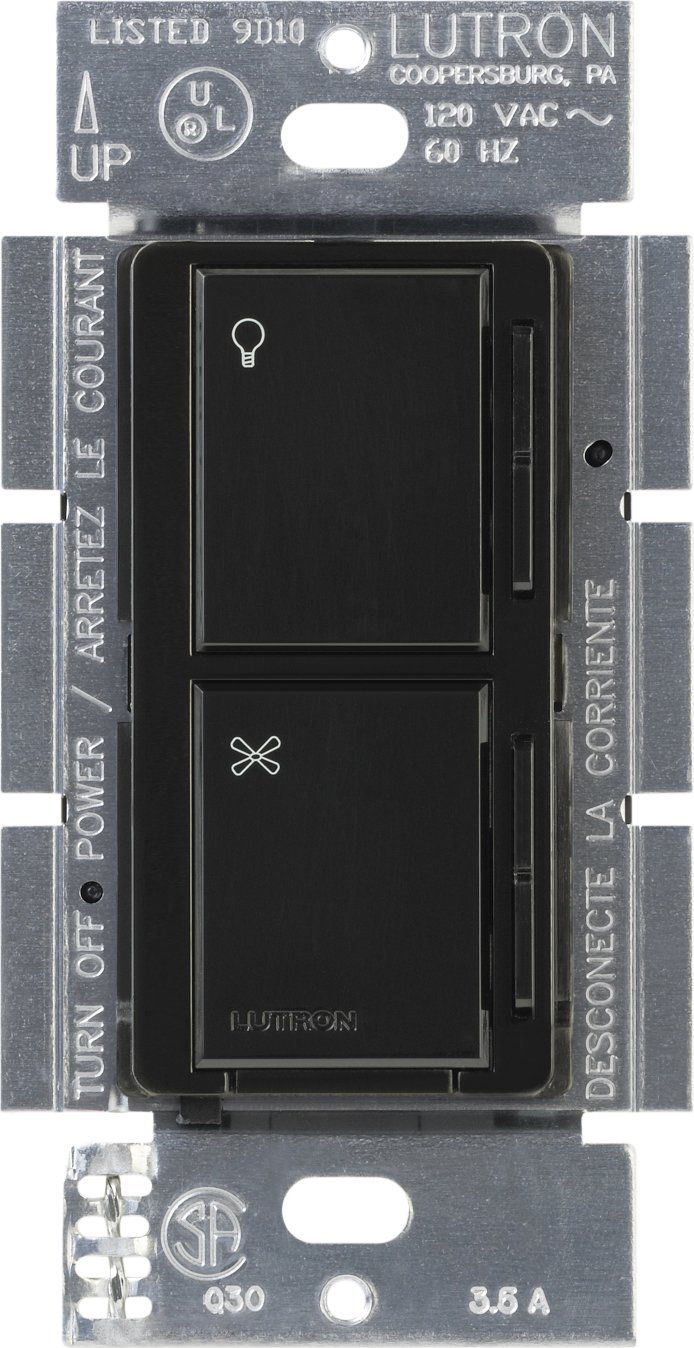
Foto 1: N'ihu view of the Lutron MA-ALFQ35 Maestro Companion Fan and Light Control. This black wall-mounted unit features separate touch controls for light (top) and fan (bottom), with a small Lutron logo at the base.
Atụmatụ gụnyere:
- Multi-location control for fan speed and light level.
- Adjusts fan speed and light level from up to three locations (when used with additional companion controls).
- Sets and recalls 7 distinct light levels and fan speeds.
- Touch control method for intuitive adjustments.
4. Ndakọrịta
This companion control unit is designed to operate exclusively with specific Lutron Maestro Multi-Location Fan and Light Controls. It is not a standalone device and will not function without a compatible master unit.
Compatible Master Control Models:
- Lutron MA-LFQ3
- Lutron MA-LFQM
Ensure you have one of these master units installed before attempting to install the MA-ALFQ35 companion control.
5. Nwụnye (Ntọala)
Installation of the MA-ALFQ35 companion control requires basic electrical wiring knowledge. If you are unsure about any steps, consult a qualified electrician.
5.1 Tupu ịmalite
- Gbanyụọ ike: Locate the circuit breaker or fuse box that controls the power to the fan and light fixture. Turn off the power completely to prevent electric shock. Verify power is off using a voltagọ bụ onye nyocha.
- Chọpụta Wiring: Carefully remove the existing wall plate and switch. Identify the wiring in the wall box. This companion control typically requires a neutral wire, a hot wire, and a traveler wire connected to the master control. Refer to the wiring diagram provided with your nna ukwu Maestro Multi-Location Fan and Light Control for specific connections.
- Kwadebe wires: Strip insulation from wires if necessary, ensuring approximately 1/2 inch (12 mm) of bare wire is exposed.
5.2 Wiring the Companion Control
The MA-ALFQ35 companion control connects to the master control unit via traveler wires. The exact wiring configuration will depend on your specific setup (e.g., 3-way or 4-way control). Always follow the wiring instructions provided with the nna ukwu Lutron Maestro Multi-Location Fan and Light Control (MA-LFQ3 or MA-LFQM).
- Connect the appropriate wires from the wall box to the terminals on the MA-ALFQ35.
- Gbaa mbọ hụ na echekwabara njikọ waya niile.
5.3 Ịwụnye na Mmecha
- Mount the Control: Carefully push the wired MA-ALFQ35 into the wall box. Secure it with the provided mounting screws.
- Wụnye Mgbidi: Attach a coordinating Claro wallplate (sold separately) over the companion control.
- Weghachi ike: Gbanyụọ ọkụ azụ na igbe sekit ma ọ bụ fuse.
- Ọrụ nnwale: Test both the fan and light controls from all locations to ensure proper operation.
6. Ọrụ
The Lutron MA-ALFQ35 companion control provides intuitive touch-based operation for your ceiling fan and lights.
6.1 Njikwa ọkụ
- Gbanwuo/ Gbanyụọ: Tap the top section of the control (light icon) to turn the lights on or off.
- Gbanwee ihie: Press and hold the top section to dim or brighten the lights. Release when the desired brightness is reached. The control supports 7 distinct light levels.
- Cheta ihe atọrọ: A quick tap will often recall the last set brightness level.
6.2 Njikwa ọsọ fan
- Gbanwuo/ Gbanyụọ: Tap the bottom section of the control (fan icon) to turn the fan on or off.
- Gbanwee ọsọ: Press and hold the bottom section to increase or decrease the fan speed. Release when the desired speed is reached. The control supports 7 distinct fan speeds.
- Cheta ihe atọrọ: A quick tap will often recall the last set fan speed.
7. Nlekọta
The Lutron MA-ALFQ35 requires minimal maintenance.
- Nhicha: To clean the surface of the control, wipe with a soft, damp Ákwà. Ejila ihe nhicha, ihe mgbaze, ma ọ bụ ihe fesa kemịkalụ, n'ihi na ihe ndị a nwere ike imebi ihe dị n'ime ma ọ bụ ihe ndị dị n'ime.
- Enweghị akụkụ ndị ọrụ-ọrụ: There are no user-serviceable parts inside this unit. Do not attempt to open or repair the control.
8. Nchọpụta nsogbu
If your Lutron MA-ALFQ35 companion control is not functioning as expected, consider the following:
- Enweghị ike: Ensure the circuit breaker or fuse supplying power to the fan and light circuit is in the ON position.
- Anaghị aza: Verify that the master Maestro Multi-Location Fan and Light Control (MA-LFQ3 or MA-LFQM) is properly installed and functioning. The companion unit relies on the master unit for operation.
- Wiwi na-ezighi ezi: Double-check all wiring connections, especially the traveler wires between the companion and master units. Refer to the master unit's installation guide for correct wiring diagrams. Ensure all connections are secure.
- Incompatible Master Unit: Confirm that the master control unit is one of the specified compatible Lutron Maestro models (MA-LFQ3 or MA-LFQM). This companion control will not work with other types of fan or light controls.
- Njikọ ndị rụrụ arụ: Turn off power at the breaker and re-check all wire connections in the wall box for tightness.
If problems persist after checking these points, contact Lutron customer support or a qualified electrician.
9. Nkọwapụta
| Nlereanya | MA-ALFQ35-BL |
| Ụdị | Lutron |
| Ụdị ọrụ | ON-Gbanyụọ |
| Usoro njikwa | Metụ aka |
| Ọnụọgụ nke ọkwa | 7 (for both fan speed and light level) |
| Wattage | 300 Watts (when used with compatible master) |
| Ngwa dakọtara | MA-LFQ3, MA-LFQM |
| Ụdị nkwụnye | Nkwụnye na Ugwu |
| Ibu Ibu | 0.3 pound |
| Agba | Nwa |
10. Akwụkwọ ikike na nkwado
10.1 Ozi akwụkwọ ikike
The Lutron MA-ALFQ35 Maestro Companion Fan and Light Control comes with a Akwụkwọ ikike dị afọ 1 on materials and manufacture. Please retain your proof of purchase for warranty claims. This warranty covers defects in materials and workmanship under normal use.
10.2 Nkwado ndị ahịa
For technical assistance, troubleshooting beyond this manual, or warranty inquiries, please contact Lutron customer support. Visit the official Lutron websaịtị maka ozi kọntaktị na ihe ndị ọzọ.