
Okwu mmalite
Welcome to the world of Mega Man V for Game Boy. This manual provides essential information for setting up, playing, and maintaining your game cartridge. Prepare to embark on an epic side-scrolling adventure to confront Dr. Wily and his formidable inventions.
Melite
To begin playing Mega Man V, follow these simple steps:
- Tinye katrij egwuregwu ahụ: Ensure your Game Boy system is powered off. Gently slide the Mega Man V game cartridge into the cartridge slot on your Game Boy until it clicks into place. The label side of the cartridge should face upwards.
- Ike Na: Turn on your Game Boy system. The Nintendo logo should appear, followed by the game's title screen.
- Adjust Volume and Contrast: Use the volume dial and contrast slider on your Game Boy to adjust the audio and display settings to your preference.

Foto: N'ihu view of the Mega Man V Game Boy cartridge. The cartridge is grey with a colorful label featuring Mega Man in a battle pose against a blue background with other characters.
Ntuziaka Ọrụ (Egwuregwu)
Mega Man V features classic side-scrolling gameplay where you control Mega Man through various stages, battling enemies and bosses to progress.
Njikwa ndị bụ isi:
- Mpempe akwụkwọ ntuziaka (D-Pad): Move Mega Man left, right, up (climb ladders), and down (crouch).
- Bọtịnụ: Malie.
- B bọtịnụ: Fire Mega Buster (primary weapon). Hold to charge for a more powerful shot.
- Bọtịnụ mmalite: Pause the game; access the weapon selection screen.
- Bọtịnụ ahọpụtara: Not typically used for primary gameplay, may have specific functions in certain menus or for special abilities.
Gameplay Objective:
Your mission is to defeat Dr. Wily and his robot masters. Each defeated robot master grants Mega Man a new weapon, which can be strategically used against other bosses and enemies. Navigate through challenging levels, overcome obstacles, and utilize your acquired abilities to save the world.
Nlekọta
Proper care of your Mega Man V Game Boy cartridge will ensure its longevity and reliable performance.
- Nhicha: If the game fails to start, gently clean the gold connector pins on the bottom of the cartridge with a cotton swab lightly dampHapụ ya ka ọ kpọọ nkụ kpamkpam tupu e tinyeghachi ya ọzọ.
- Nchekwa: Store the cartridge in its original case or a protective sleeve when not in use to prevent dust and scratches. Keep it away from extreme temperatures, direct sunlight, and high humidity.
- Ijikwa: Avoid touching the connector pins directly with your fingers, as oils and dirt can interfere with connectivity.
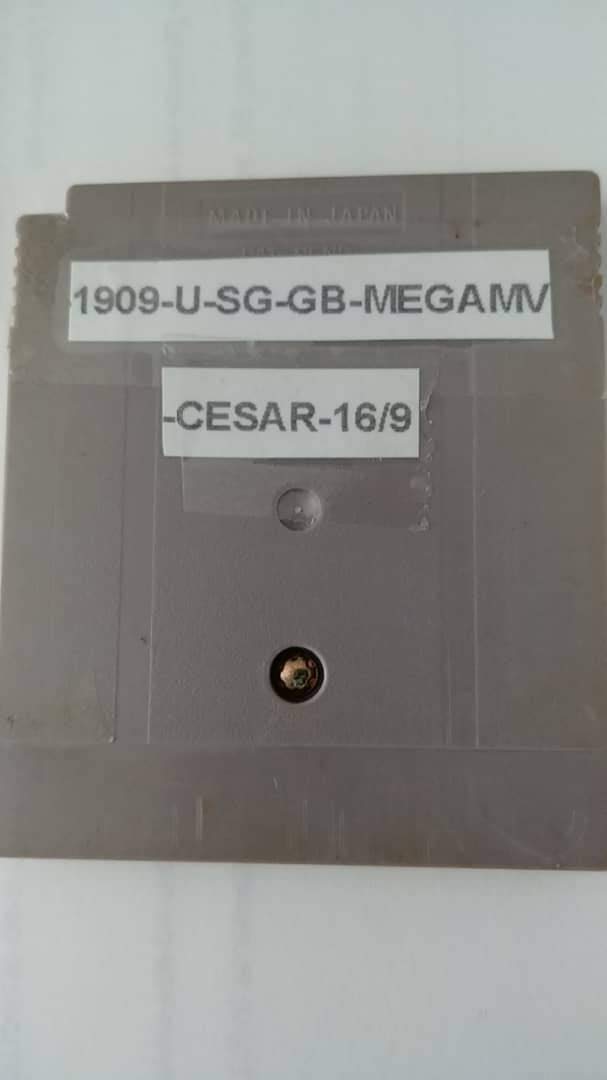
Foto: Azụ view of the Mega Man V Game Boy cartridge, displaying the connector pins and a label with production information.
Nchọpụta nsogbu
If you encounter issues while playing Mega Man V, try the following solutions:
- Game Not Starting:
- Ensure the cartridge is fully inserted into the Game Boy slot.
- Clean the cartridge connector pins as described in the Maintenance section.
- Try the cartridge in a different Game Boy system if available to rule out a system issue.
- Game Freezes or Glitches:
- Turn off the Game Boy, remove the cartridge, reinsert it firmly, and restart.
- Ensure your Game Boy batteries are not low, as this can sometimes cause instability.
- No Sound or Distorted Sound:
- Check the volume dial on your Game Boy.
- Ensure headphones (if used) are properly connected and functional.
Nkọwapụta
| Njirimara | Nkọwa |
|---|---|
| Aha ngwaahịa | Mega Man V |
| Ụdị | Nintendo |
| ASIN | B000035XB6 |
| GTIN (UPC) | 013388120185 |
| Ụdị ihe | Egwuregwu vidiyo |
| Asụsụ | Bekee |
| Enyere aha | Onye ọ bụla |
| Ibu Ibu | 0.32 ounces |
| Akụkụ ngwaahịa | 2.6 x 2.6 x 0.4 sentimita asatọ |
| Onye nrụpụta | Capcom |
| Ụbọchị mbụ dị | Jenụwarị 1, 2000 |
Ozi akwụkwọ ikike
Specific warranty details for this product may vary based on the region and retailer at the time of purchase. Please refer to the original packaging or contact the manufacturer, Capcom, or Nintendo, for detailed warranty information.
For general information, you may visit the official Nintendo websaịtị: www.nintendo.com
Nkwado ndị ahịa
For further assistance or technical support regarding Mega Man V, please consult the official support channels provided by Nintendo or Capcom. Support contact information is typically available on their official websites or within the game's original packaging.
You can often find FAQs and troubleshooting guides on the official Nintendo support page: Nkwado Nintendo


